

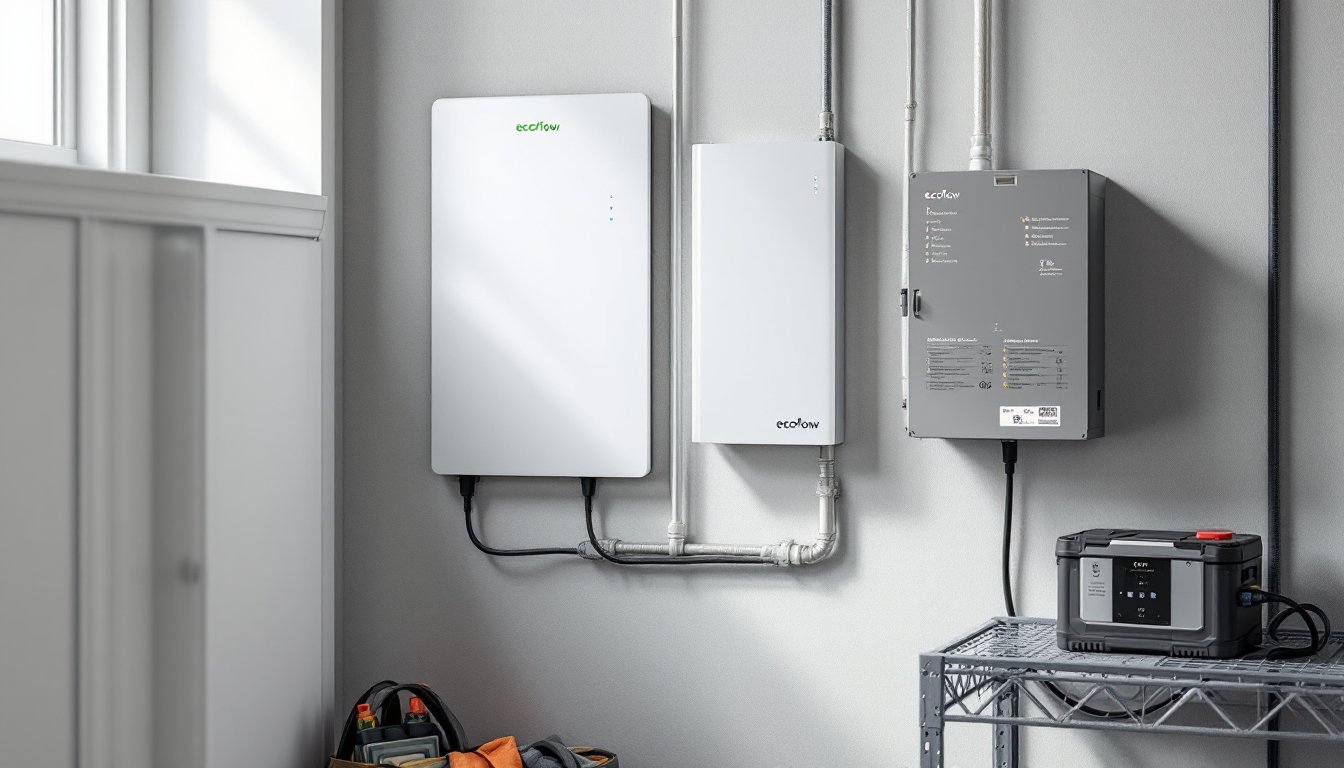
Power outages aren’t just inconvenient, they’re becoming more frequent. Whether it’s extreme weather, grid strain, or planned maintenance, homeowners need reliable backup systems. The EcoFlow Smart Home Panel 2 offers a modular alternative to traditional whole-home generators and expensive battery walls, letting you power critical circuits during blackouts without hardwiring a massive unit or hiring an electrician for weeks of work. It’s a smart home panel that connects your existing EcoFlow power station to your home’s electrical system, automatically switching loads when the grid goes down. This guide walks through what it does, how to install it, and whether it’s the right fit for your backup power needs.
Table of Contents
ToggleKey Takeaways
- The EcoFlow Smart Home Panel 2 acts as a load management and transfer switch that integrates portable power stations into your home’s electrical system, providing automatic backup power for up to 10 selected circuits during outages.
- This smart home panel enables selective circuit control without requiring extensive hardwiring or a full-home generator, making it ideal for homeowners seeking modular, scalable backup power in frequent short-outage areas.
- Professional installation costs $800 to $1,500 and takes 4 to 8 hours, with complete system pricing starting around $5,500 for a panel plus single Delta Pro power station before installation.
- The Smart Home Panel 2 offers seamless sub-20-millisecond transfer times, quiet zero-emission operation, and the flexibility to disconnect and relocate the battery for camping or remote work—major advantages over gas generators.
- Real-world runtime depends on battery capacity and load; a single Delta Pro (3,600Wh) running essential circuits lasts roughly 16 hours with a fridge and lights, or 2.5 hours with an AC unit added.
- This system works best for homeowners with EcoFlow power stations who want clean, modular backup power and can integrate solar panels for indefinite recharge capability, but isn’t suitable for backing up heavy loads like central AC or EV chargers.
What Is the EcoFlow Smart Home Panel 2?
The EcoFlow Smart Home Panel 2 is a load management and transfer switch device that integrates EcoFlow portable power stations, like the Delta Pro or Delta Pro Ultra, into a home’s electrical panel. It’s not a battery itself. Instead, it acts as the bridge between your stored power and the circuits you want to keep running during an outage.
Unlike traditional transfer switches that require manual operation or full-house automatic transfer systems that cost thousands, the Smart Home Panel 2 offers selective circuit control. Homeowners can choose up to 10 circuits to back up, and the panel intelligently manages power distribution based on available capacity.
It mounts near your main breaker box and connects via a 30A or 50A breaker (depending on configuration). When the grid fails, the panel detects the outage within milliseconds and switches the selected circuits to battery power. When grid power returns, it switches back automatically. This all happens without you flipping a switch or running extension cords.
The system is modular, meaning you can start with one power station and scale up by adding more units in parallel for increased capacity. For homes already invested in the EcoFlow ecosystem, it’s a natural next step. For those new to backup power, it’s a flexible entry point that doesn’t require a full solar install or propane tank.
Key Features and Specifications
The Smart Home Panel 2 supports a maximum input of 7,200W when paired with compatible EcoFlow power stations. It can handle up to 10 backed-up circuits, each on a dedicated breaker inside the panel itself. The unit measures roughly 17 x 12 x 6 inches and weighs about 22 pounds, making it manageable for wall mounting in a garage or utility room.
Input compatibility includes:
- EcoFlow Delta Pro (3,600W per unit, expandable to 7,200W with two units)
- EcoFlow Delta Pro Ultra (up to 21,600W with multiple units)
- Other EcoFlow models with the proper adapters
The panel uses Wi-Fi connectivity for app-based monitoring and control. Through the EcoFlow app, users can see real-time power consumption per circuit, set priority rules (e.g., keep the fridge running before the garage lights), and receive alerts when the battery hits certain thresholds.
It also features smart load shedding. If your total draw exceeds available battery capacity, the panel will cut power to lower-priority circuits automatically, preventing a full system shutdown. This is a major advantage over simpler transfer switches that treat all circuits equally.
The device is rated for indoor installation only and must be installed in a location that meets NEC (National Electrical Code) standards for clearance and accessibility. It’s UL listed, which is critical for passing inspection in most jurisdictions. The panel includes a manual bypass switch, so you can restore grid power to circuits even if the panel fails, a solid safety feature.
Installation Requirements and Process
Installing the Smart Home Panel 2 is not a DIY project unless you’re a licensed electrician. Most jurisdictions require a permit for any work inside the main service panel, and this install involves connecting to your home’s live electrical system. Expect to hire a licensed pro for this one.
The process typically takes 4 to 8 hours, depending on your panel’s layout and how far the Smart Home Panel 2 is from your main breaker box. Here’s the general workflow:
- Site survey: The electrician evaluates your main panel, identifies the circuits you want to back up, and confirms wire gauge and breaker ratings. If your panel is full or outdated, you may need an upgrade first.
- Mounting: The Smart Home Panel 2 mounts to a wall near the main panel, usually within 10 feet to minimize wire runs. It needs 18 inches of clearance on all sides per NEC Article 110.26.
- Wiring: The electrician pulls the selected circuit breakers from your main panel and reroutes those circuits into the Smart Home Panel 2. A feeder breaker (30A or 50A) is installed in the main panel to supply the Smart Home Panel 2 during normal operation.
- Power station connection: The EcoFlow power station connects to the panel via a proprietary cable harness (included). This connection provides both power input and data communication.
- Testing and programming: Once wired, the electrician tests the transfer function, verifies backfeed protection, and configures priority settings through the app.
Safety note: Always wear insulated gloves and safety glasses when working near electrical panels, and never attempt this install without shutting off the main breaker. Carbon monoxide detectors and smoke alarms should remain on grid power or have battery backups, as they’re life-safety devices.
Cost for professional installation typically runs $800 to $1,500, depending on complexity and local rates. Some jurisdictions also require an inspection after install, which can add a week to the timeline.
How It Works With EcoFlow Power Stations
The Smart Home Panel 2 is designed specifically for EcoFlow’s expandable power station ecosystem. It won’t work with other brands like Jackery or Goal Zero without adapters, and even then, functionality is limited.
When paired with a Delta Pro, the system can deliver 3,600W continuous and 7,200W surge from a single unit. Adding a second Delta Pro in parallel doubles that to 7,200W continuous. For larger homes or more demanding loads (like well pumps or central AC), the Delta Pro Ultra scales up to 21,600W with three units, though that’s overkill for most residential backup needs.
The panel communicates with the power station over a data line, allowing it to monitor battery state of charge, adjust load distribution, and trigger charging when solar panels or grid power are available. If you have EcoFlow solar panels connected to your power station, the system can recharge during the day, extending backup time indefinitely in sunny conditions.
One major benefit: the Smart Home Panel 2 allows pass-through charging. Your power station can charge from the grid (or solar) while simultaneously powering backed-up circuits. This keeps the battery topped off and ready for the next outage, a feature many smart home tech tools don’t offer in portable setups.
The app shows real-time circuit-level monitoring, so you can see exactly how much power your fridge, HVAC, or home office draws. This data helps optimize which circuits to back up and how long your battery will last. For example, if your battery is at 50% and you’re drawing 2,000W, the app calculates remaining runtime and suggests shedding non-essential loads.
Real-World Performance and Benefits
In practice, the Smart Home Panel 2 delivers on its promise of seamless backup power. Independent testing shows transfer times under 20 milliseconds, fast enough that computers and Wi-Fi routers don’t lose power. This is a huge advantage over traditional generators, which can take 10 to 30 seconds to kick in.
Runtime depends entirely on battery capacity and load. A single Delta Pro (3,600Wh) running a fridge (150W), modem (20W), and a few lights (50W) will last roughly 16 hours. Add a window AC unit (1,200W) and that drops to about 2.5 hours. The Smart Home Panel 2’s load management helps stretch runtime by cutting non-essential circuits when the battery dips below a set threshold.
Users report that the system works well for short outages (a few hours) and can handle multi-day blackouts if paired with solar recharging. Several early adopters have tested it during storms and found it kept essentials running without noise, fuel, or fumes, major wins over gas generators.
The quiet operation is a standout benefit. There’s no engine rumble, no exhaust smell, and no need to store gasoline. For urban and suburban homes, this makes it a far better neighbor than a Honda EU2200i screaming in the driveway.
Another advantage: portability. Unlike a permanently installed Generac or Tesla Powerwall, you can disconnect the EcoFlow power station and take it camping, to a job site, or to another property. This flexibility appeals to RV owners and remote workers who need reliable power in multiple locations.
Downsides? The system is expensive. A Smart Home Panel 2 plus a single Delta Pro runs around $5,500 to $6,000 as of early 2026, and that’s before installation costs. Scaling up to two Delta Pros pushes the total past $9,000. For that price, you could install a mid-range whole-home generator, though you’d lose the solar-ready and portable features.
Another limitation: the panel only backs up 10 circuits. If you have a large home with 30+ circuits, you’ll need to prioritize carefully. Central air conditioning, electric water heaters, and electric ranges often pull too much power to run on battery alone, so expect to sacrifice some comfort during extended outages.
Is the Smart Home Panel 2 Worth It for Your Home?
The Smart Home Panel 2 makes the most sense for homeowners who already own or plan to buy EcoFlow power stations and want to integrate them into their home’s electrical system. It’s also a strong choice for those in areas with frequent short outages (under 12 hours) who want a cleaner, quieter alternative to gas generators.
It’s not ideal if you need whole-home backup for days on end without solar, or if your critical loads exceed 7,200W. In those cases, a traditional standby generator or a larger battery system like the Tesla Powerwall or smart home panel solutions with higher capacity make more sense.
Consider it if:
- You want modular, scalable backup power that grows with your needs
- You already have or plan to add EcoFlow solar panels for off-grid recharging
- You live in an area where permits for propane or natural gas generators are restrictive
- You value quiet, zero-emission operation over raw runtime
- You want the flexibility to disconnect and use the battery elsewhere
Skip it if:
- You need to back up heavy loads like central AC, electric heat, or an EV charger
- You’re looking for the lowest cost per watt-hour (traditional generators still win on that metric)
- You don’t have an electrician you trust, or permitting in your area is a hassle
- You’re not comfortable with app-based control and monitoring
For those just getting started with smart home tech, the Smart Home Panel 2 represents a significant investment. But for power users who want control, flexibility, and a system that integrates with evolving smart home tech trends, it’s a solid option that delivers on its promises.
One thing to watch: as battery technology improves and prices drop, we may see competitors offer similar functionality at lower price points. EcoFlow’s first-mover advantage gives it a head start, but the market for modular home backup is heating up. If you can wait a year or two, alternative smart home tech examples may emerge with better specs or lower costs.
Conclusion
The EcoFlow Smart Home Panel 2 bridges the gap between portable power stations and permanent backup systems. It’s not the cheapest or highest-capacity option, but it offers flexibility, quiet operation, and seamless integration with EcoFlow’s ecosystem. For homeowners who value modularity and zero emissions, it’s worth the investment, just make sure your loads, budget, and local codes align before you commit.





